Flower Snap Guide: Creative Ways to Photograph Your Garden
You point your camera at a random bloom on a sidewalk. Boom—“yellow cosmos.” A second later, you’ve got care tips, native range, and a note about how pollinators love it. That quick thrill?
That’s Flower Snap. It turns curiosity into instant plant knowledge and makes your walks a lot more interesting. And honestly, who doesn’t want to show off at brunch by casually identifying a hellebore?
So… what is Flower Snap, exactly?
Flower Snap is a mobile app that identifies flowers and plants from photos.
You snap a pic, it compares it to a massive plant database, and it gives you a match in seconds. You also get bite-sized info like common names, scientific names, where it grows, and whether your grandma’s “mystery shrub” is actually a hydrangea. Think Shazam, but for petals and leaves. It’s designed for everyday users—gardeners, hikers, or anyone who wants to know what that purple thing in the neighbor’s yard is. No botany degree required.
How it works (without the boring jargon)
Under the hood, Flower Snap uses image recognition and machine learning.
In plain English: it learned from millions of plant photos and now recognizes patterns—leaf shape, petal arrangement, color, texture. Here’s the basic flow:
- Open the app and point your camera at the plant.
- Snap a clear photo (or upload one from your gallery).
- Get a top match plus a few “possible” alternatives.
- Read quick facts and care tips, or save it to your collection.
Pro tip: Take photos in good light and get the flower head, leaves, and stem if you can. The app loves context, just like your nosy neighbor.
What boosts accuracy
- Multiple angles (flower + leaf + bark if it’s a shrub/tree)
- Neutral background when possible (your sandal doesn’t count)
- Avoid harsh backlighting—shade works great
- Include scale (a finger near a tiny blossom helps)
Why people get hooked
You don’t just identify a plant—you build a little nature diary.
Flower Snap lets you save finds, tag locations, and set reminders. Found a rare wildflower? Save it.
Accidentally brought home a sun-loathing fern? Set a care alert so it doesn’t become salad. What makes it sticky:
- Instant identification that feels like magic
- Care guides for houseplants and garden staples
- Collections to track everything you’ve discovered
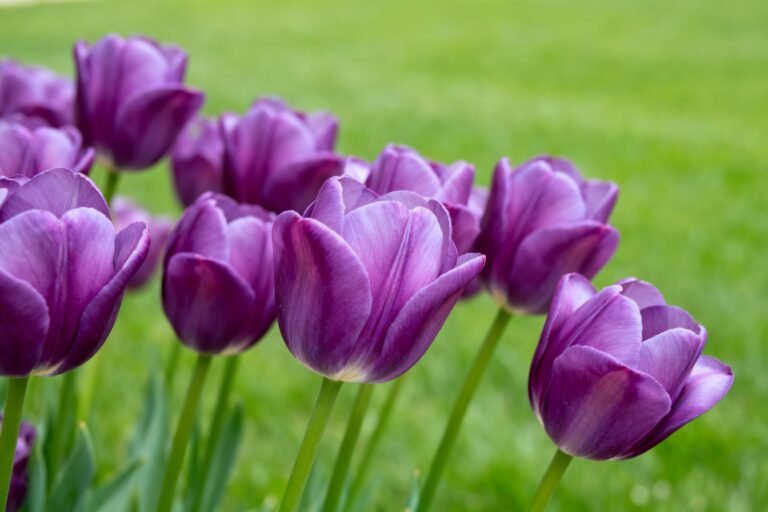
- Seasonal tips (FYI: autumn is bulb-planting season—get those tulips ready)
Social features without the cringe
You can share IDs, compare notes, and swap tips with the community. IMO, the best part is learning from real humans who have actually kept a calathea alive for more than 6 days.
Witchcraft.
Flower Snap vs. the other plant apps
Let’s be real—there are a lot of plant ID apps. Here’s how Flower Snap stands out:
- Speed: Results pop up in seconds, not minutes.
- Clean interface: No clutter, no lecture. Just the info you need.
- Focused on flowers: It does leaves and shrubs too, but it truly shines with blooms.
- Care assistance: Practical tips that don’t assume you own a greenhouse.
Does it nail every fern on Earth?
No app does. But Flower Snap excels in the most common garden, park, and houseplant situations.
Where it struggles (so you’re not surprised)
- Messy hybrids that all look alike (roses, I’m side-eyeing you)
- Plants without flowers—leaf-only shots can be trickier
- Rare regional species with limited photos
FYI: In those cases, it’ll show similar options so you can compare details.
Tips for killer photos (and better IDs)
You don’t need a fancy camera. Your phone works great.
But a few simple habits bump accuracy a lot:
- Move closer so the flower fills most of the frame.
- Tap to focus—sharp edges help the model read shapes.
- Try two shots: one of the flower head, one of the leaves.
- Avoid motion blur—steady your hands or brace on a branch.
- Capture habitat in a second photo (garden bed vs. wild meadow).
Ethical snapping 101
Please don’t trample native plants for the ‘gram. Stay on paths, don’t pick wildflowers, and definitely don’t uproot anything to “identify it better.” Nature thanks you. The bees thank you.
Your future self thanks you.
Turning curiosity into plant care
Once you identify a plant, Flower Snap doesn’t leave you hanging. It gives you straightforward care basics:
- Light: Full sun, partial shade, or low-light conditions
- Water: Frequency and how to avoid drowning it
- Soil: Drainage, pH, potting mix tips
- Pests: Common issues and simple fixes
Want more? You can set reminders for watering, fertilizing, or repotting.
It’s like having a tiny plant coach in your pocket. IMO, this alone saves more houseplants than any “bottom watering hack” on TikTok.
Garden planning with Flower Snap
You can log what’s in your yard, track bloom times, and plan color combos. Imagine building a bed that goes from crocuses in March to dahlias in September without a dull week.
The app helps map that out, even if your “garden” is three pots and a dream.
Use cases you’ll actually care about
- Hikes and walks: ID wildflowers and learn which ones are native vs. invasive.
- Home plant rescue: Find out what that mystery gift plant needs before it keels over.
- Kids and schools: Turn a field trip into a scavenger hunt—learning that doesn’t feel like homework.
- Travel: Discover local flora without lugging a guidebook.
- Gardening upgrades: Choose plants that thrive in your actual light and climate.
Accessibility and beginner-friendliness
You don’t need to memorize Latin names or pretend you know what “pinnate” means. The app gives common names and clear visuals. Want more geeky detail?
It’s there when you want it—tucked behind neat little panels instead of shouting at you.
Pricing, privacy, and what’s the catch
Most features come free, with optional premium perks like in-depth care guides, advanced logging, and faster community responses. If you go premium, it feels worth it when you start using it weekly. Privacy basics you’ll care about:
- Your photos train the model only with your permission.
- Location tagging stays opt-in, which is great for sensitive habitats.
- You can delete your data and exports anytime.
No one needs a map of where you found that rare orchid—good call keeping that private.
FAQ
Does Flower Snap work offline?
You can browse saved plants and care notes offline. For new identifications, it needs a connection.
Some premium setups let you cache regional packs for partial offline recognition.
How accurate is it?
For common garden and houseplant species, accuracy is high when you provide clear photos with leaves and flowers visible. For rare or very similar species, it sometimes offers a few close matches. Use the notes and comparison images to confirm.
Can it identify plants without flowers?
Yes, to a point.
Leaves, stems, and growth habit still give strong clues. But for many species, flowers provide the final confirmation, so consider snapping again when it blooms.
Will it help me not kill my houseplants?
It definitely helps. You’ll get watering schedules, light requirements, and pest tips.
Add reminders, and you’ll stop guessing—and stop overwatering your succulents “just in case.”
Is it safe for identifying toxic plants?
It flags potentially toxic species and provides caution notes. Still, treat the result as guidance, not a medical verdict. If a pet or person ingests something questionable, call a professional immediately.
Final thoughts
Flower Snap takes that “what is this?” moment and turns it into a mini win, every time.
It makes nature feel closer, gardening less intimidating, and plant care way more doable. Download it, point it at something green, and watch your curiosity bloom—pun absolutely intended.